
On this page
On this page
ETH-52P / ETH-52P7 web local upgrade ESP32 / Zigbee
ETH-52P / ETH-52P7 run two firmware images: the ESP32 host (web UI and Ethernet / Wi-Fi / USB bridge) and the TI CC2652 chip (Zigbee or Thread). When the web UI opens, upgrade on the device under Tools → Firmware.
Get files only from inswift-eth Releases, esp32-ETH-52P, and ti-cc2652. Wiki: ETH Firmware Upgrade Operation Guide.
Before you start
- Open
http://dongle.local/or the gateway IP and sign in - Prefer Ethernet; a Wi-Fi drop mid-write can leave a partial image
- Do not mix 52P and 52P7 CC2652 images, or coordinator / router / Thread files
- Note the host and Zigbee versions on the Status page
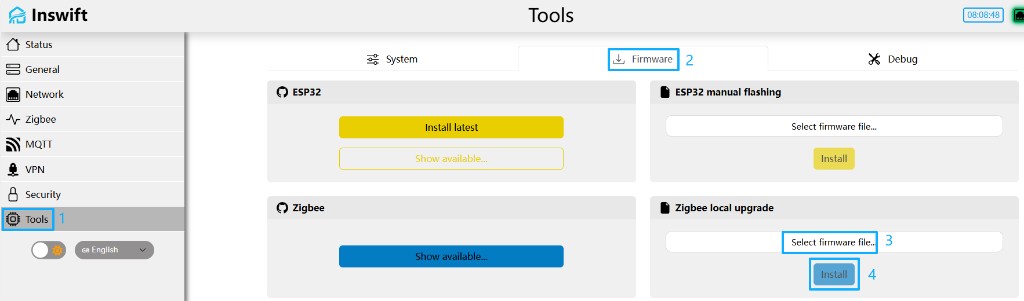
Open Tools → Firmware
After login: Tools (Chinese: 工具) → top tab Firmware (固件). Switch language at the bottom left.
Four cards:
| Card (EN / ZH) | What it does |
|---|---|
| ESP32 / ESP32 在线升级 | Install ota.bin from GitHub: Install latest, or Show available... |
| ESP32 manual flashing / ESP32 本地升级 | Upload a local fs.bin or ota.bin |
| Zigbee update / Zigbee 本地升级 | Upload a local CC2652 .bin / .hex |
| Zigbee / 更新CC2652固件 | Pick a CC2652 build from the GitHub manifest |
ESP32 local upgrade
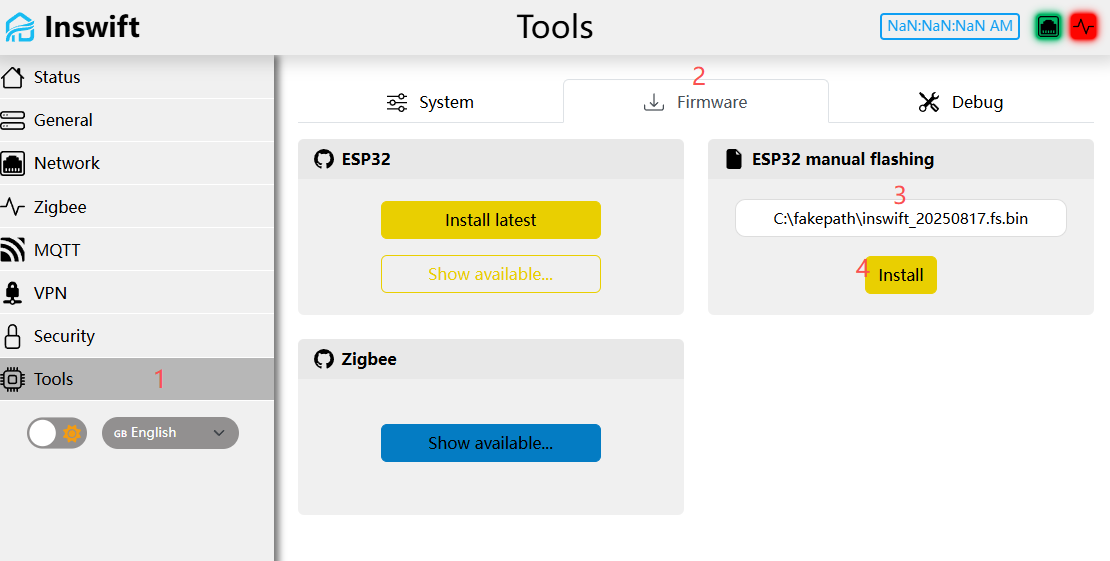
From Releases, take matching inswift_YYYYMMDD.fs.bin and inswift_YYYYMMDD.ota.bin. Do not upload full.bin in the web local flasher.
fs.bin is the web UI; ota.bin is the ESP32 application. If you install both: fs.bin first, then ota.bin, and wait for each reboot.
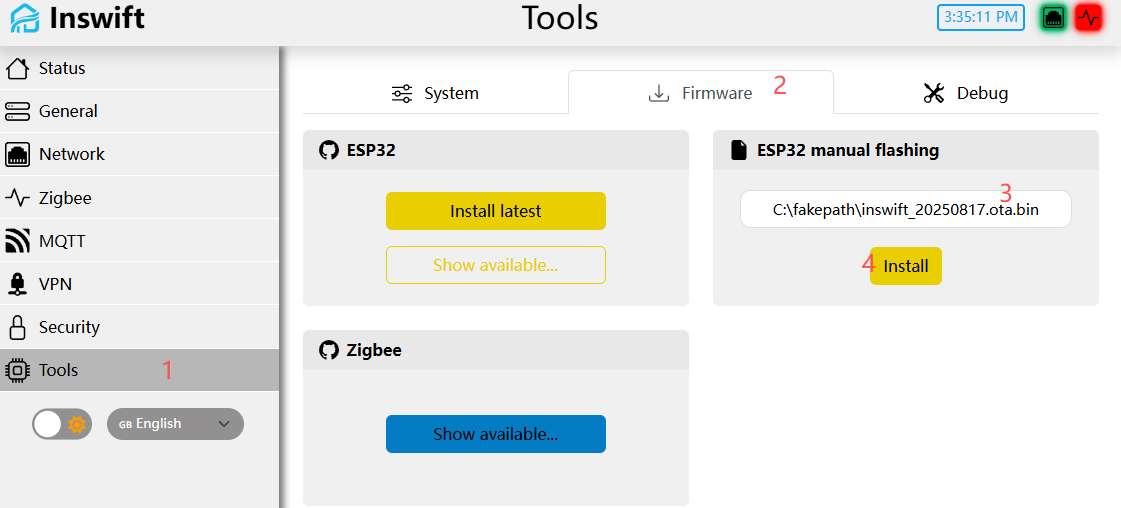
- Under ESP32 manual flashing, choose Select firmware file..., then
fs.binorota.bin - Click Install
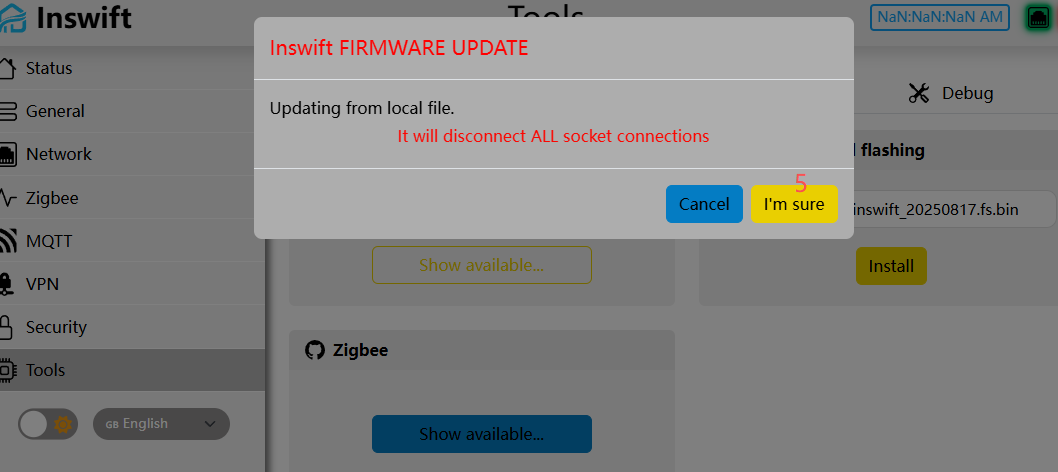
- Confirm I'm sure — all sockets will drop
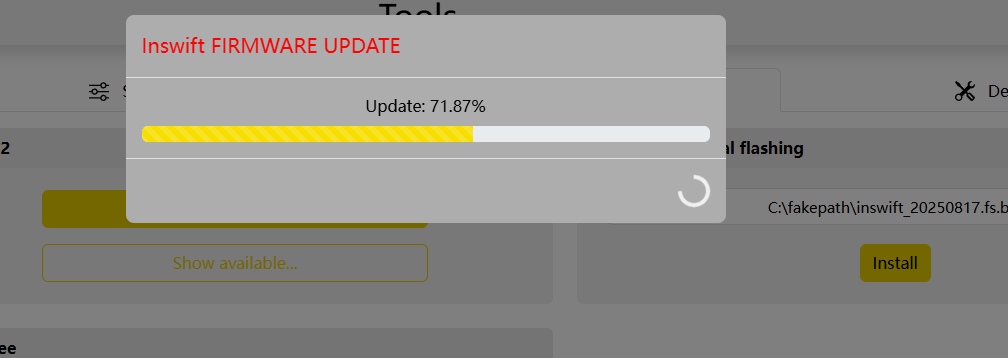
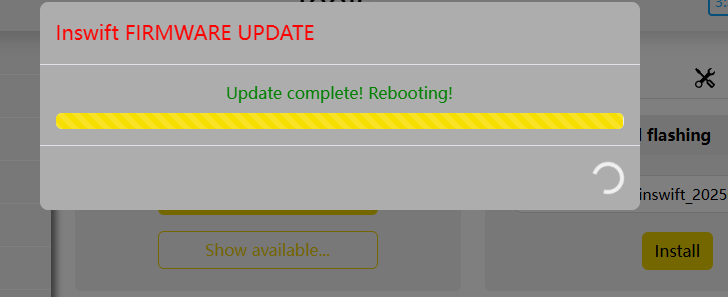
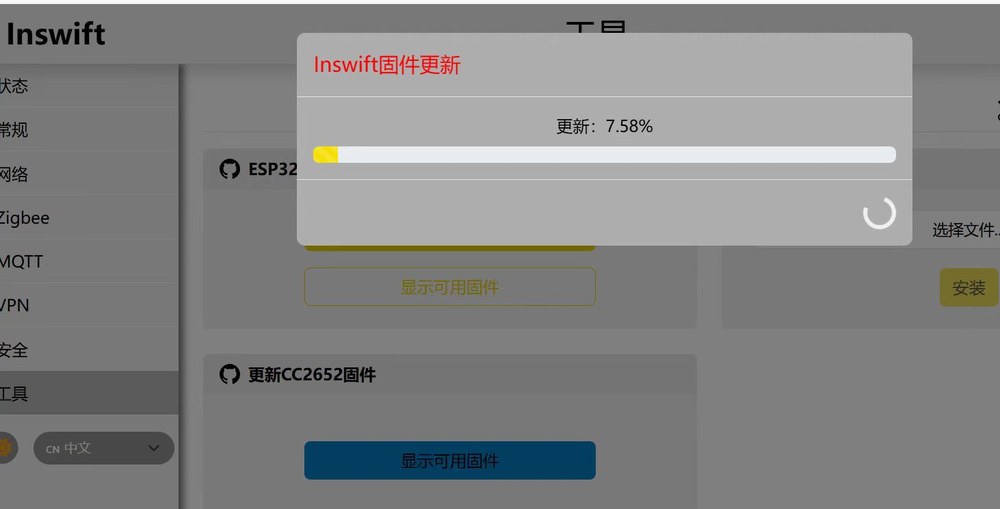
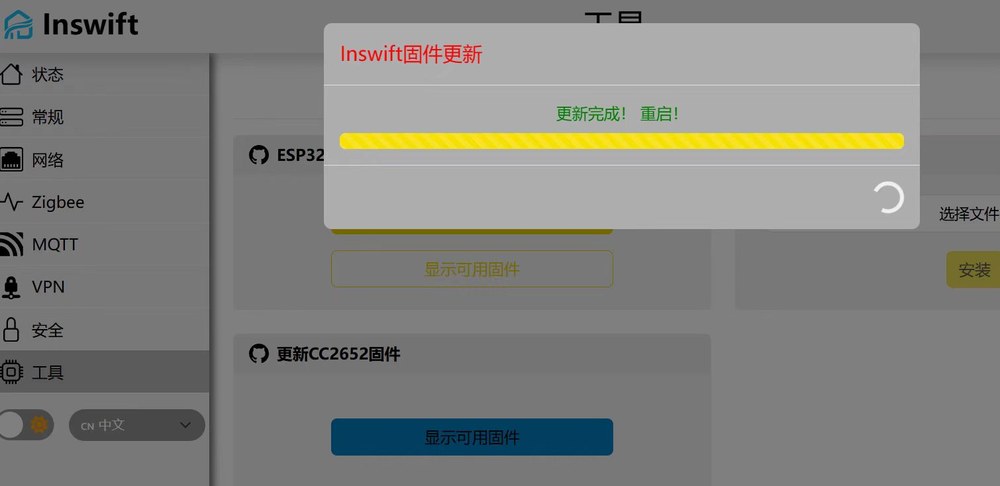
- Wait for Update complete! Rebooting! and for the web UI to return before the next file
For ota.bin, only the filename changes:
ESP32 online upgrade
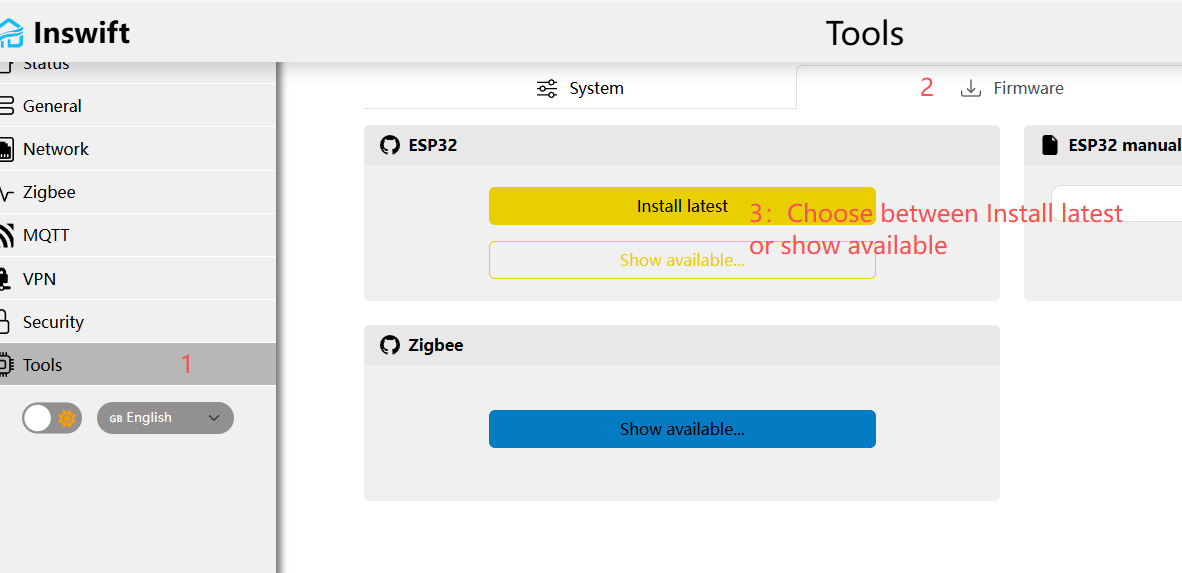
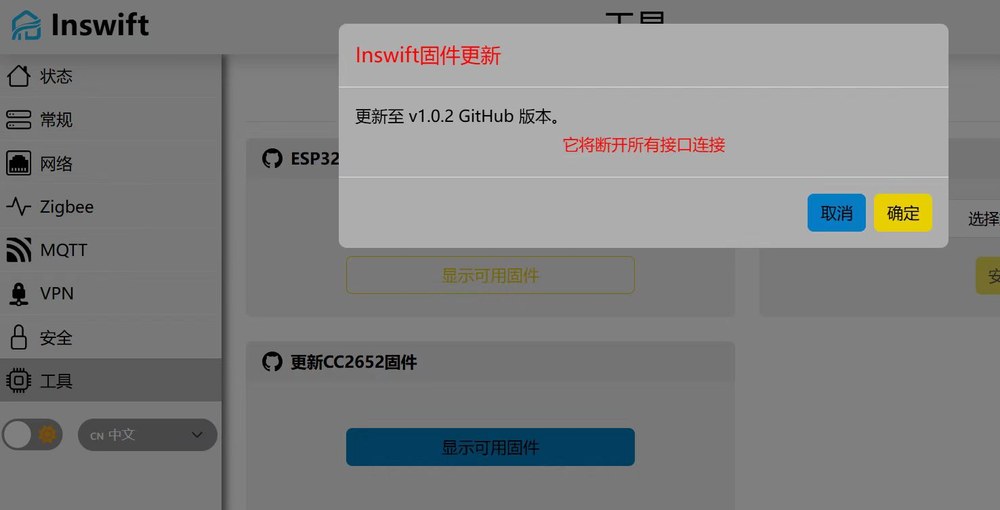
When GitHub is reachable, use the ESP32 card for ota.bin only (fs.bin is local upload only).
- Tools → Firmware → ESP32
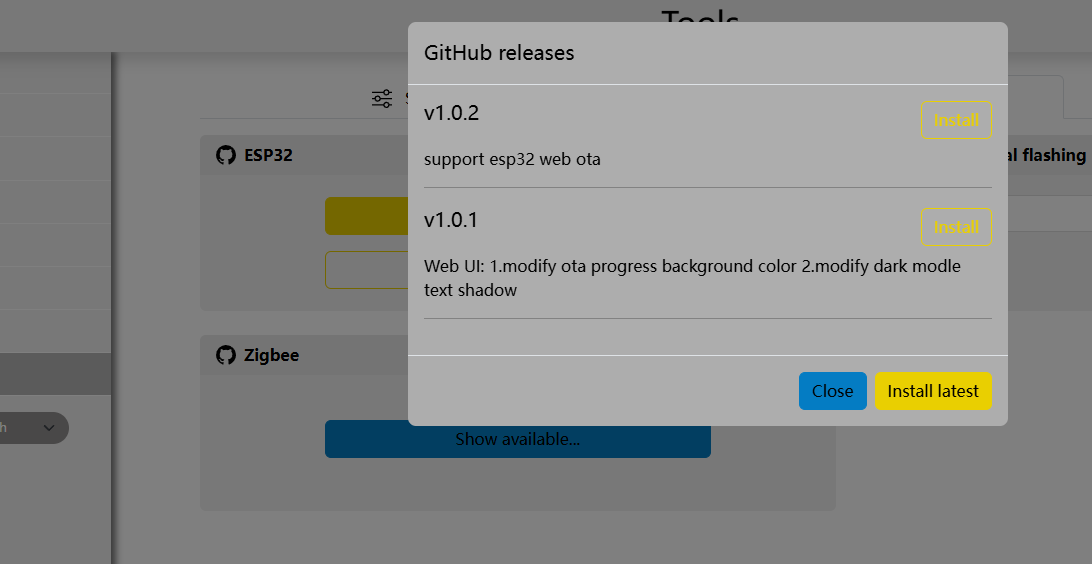
- Install latest, or Show available... for a tagged release
- Confirm the disconnect and wait for reboot
Zigbee local upgrade
Stop Z2M / ZHA first. The wrong chip image, or router / Thread firmware, will break coordinator tcp://…:6638.
Get files from ti-cc2652:
- ETH-52P: a
launchpadcoordinator image whose name includesCC2652P, for exampleCC1352P2_CC2652P_launchpad_coordinator_20250321.bin - ETH-52P7:
CC1352P7_coordinator_….bin - Router: the matching
*_router_*.binfor that chip - Thread: the matching
*ot_rcp*/ RCP underthread/(serial is commonly 460800 afterwards)
The filename must include coordinator, router, or thread / rcp so the gateway can set role and baud rate (coordinator / router commonly 115200). Do not use images built for other boards.
- On the same Firmware tab open Zigbee update
- Select firmware file... and choose the
.binor.hex - Check Current chip model (52P ≠ 52P7)
- Click Install, confirm the disconnect, wait for reboot
Zigbee online upgrade
When GitHub is reachable, use the lower-right Zigbee card (Chinese: 更新CC2652固件). The list is filtered by chip, but you still pick a coordinator build — not router or Thread.
- Click Show available...
- Install a coordinator version
- Confirm the disconnect and wait until it finishes
After a coordinator flash, Zigbee2MQTT still uses adapter: zstack and tcp://dongle.local:6638; ZHA uses socket://dongle.local:6638. A Thread image is OpenThread, not a Zigbee coordinator. To keep devices without re-pairing, see ETH-52P / ETH-52P7 change IEEE (coordinator migration).
Troubleshooting
The dialog says it will disconnect ALL socket connections. Stop Z2M / ZHA, then confirm.
Progress stalls, or the UI never returns. Wait two minutes, power-cycle. If there is still no UI, use Flash ETH host over USB.
Zigbee2MQTT ping timeout after flashing the chip. Match the chip to the filename; confirm coordinator, not router / RCP; baud rate is still 115200. See FAQ: ping timeout.
The web UI IEEE looks unchanged. The TI primary address does not change. For migration see ETH-52P / ETH-52P7 change IEEE (coordinator migration).
Related: ETH-52P / ETH-52P7 · Zigbee2MQTT setup · ZHA · Flash ETH host over USB · FAQ